Skip to content
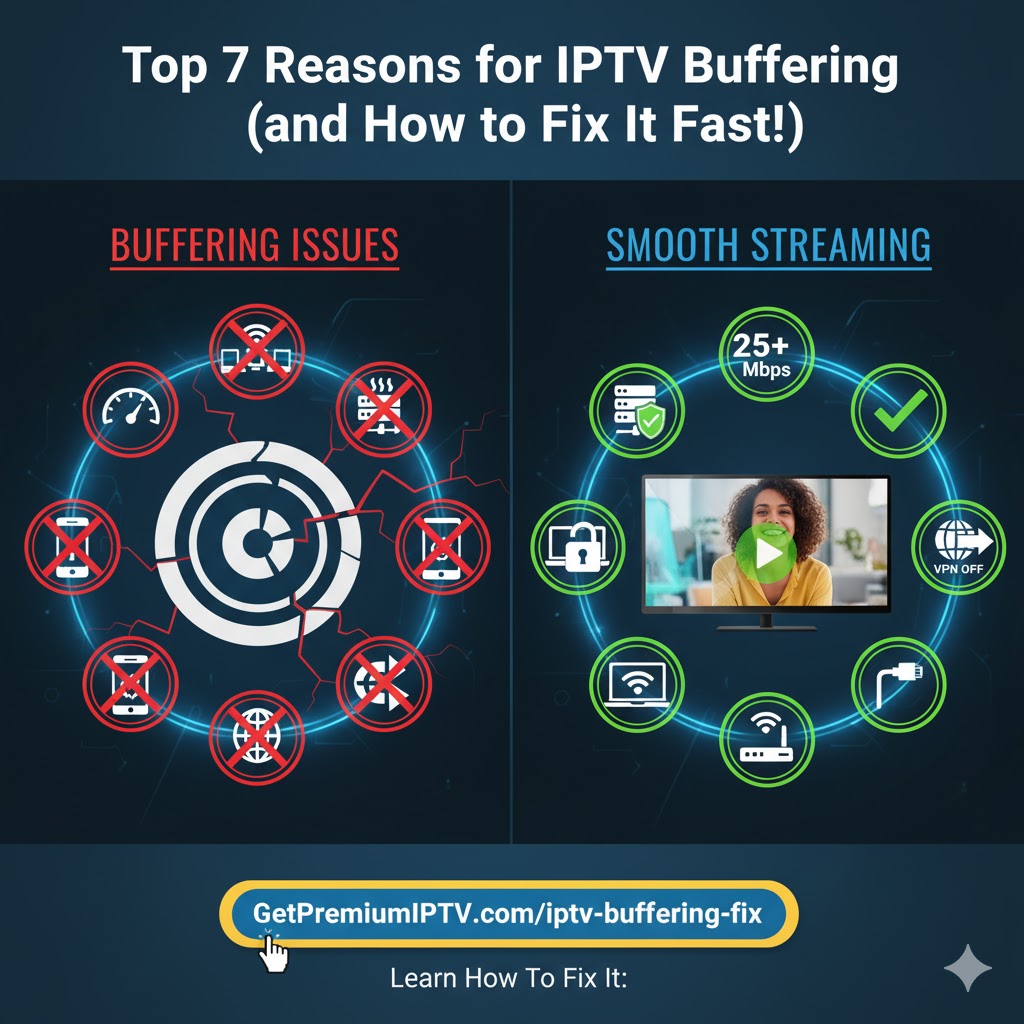
Are you tired of constant IPTV buffering and lag while streaming your favorite shows? You’re not alone. Many IPTV users face similar IPTV problems, but the good news is that most of them can be fixed quickly once you understand the causes.
In this complete guide, you’ll discover the top 7 reasons for IPTV buffering — and how to fix each one for a smooth, interruption-free viewing experience. For the best results and the most reliable streaming, choose a premium IPTV provider like GetPremiumIPTV.com — trusted for speed, stability, and zero buffering.
What Is IPTV Buffering and Why Does It Happen?
IPTV buffering happens when your IPTV player pauses to load data from the streaming server. This delay interrupts playback and can make your viewing experience frustrating. IPTV buffering is mainly caused by slow internet, overloaded servers, or issues in your device or app setup.
When your connection speed, IPTV app, or streaming server isn’t performing at its best, your IPTV stream pauses to catch up — leading to annoying buffering. Let’s look at the most common causes and solutions.

1. Slow Internet Speed — The #1 Cause of IPTV Buffering
One of the biggest IPTV problems is slow internet speed. If your internet connection isn’t fast enough, IPTV videos won’t load properly.
✅ Recommended speeds:
- At least 10 Mbps for HD channels
- 25 Mbps or more for 4K Ultra HD content
👉 Quick Fix: Go to Speedtest.net and check your connection speed. If your internet speed is below these recommendations, contact your ISP or upgrade your plan.

2. Network Congestion at Home
When multiple devices share the same Wi-Fi, the available bandwidth gets divided. This leads to IPTV buffering and lag during streaming.
✅ Solution: Disconnect unused devices or switch to a wired Ethernet connection. A cable connection gives you a direct, stable link to your router and eliminates Wi-Fi interference.

3. Weak Wi-Fi Signal
A weak Wi-Fi signal is another common IPTV problem that causes buffering. The farther your IPTV device is from the router, the weaker your signal becomes.
✅ Solution: Use a Wi-Fi range extender or place your router closer to your IPTV device. Keeping your router elevated and in the center of your home also helps improve coverage.
4. Overloaded IPTV Servers
Even if your internet is fast, IPTV buffering can occur due to overloaded servers. This usually happens when too many users stream the same IPTV channel at once.
✅ Solution: Choose a reliable IPTV provider that uses high-performance servers. For instance, GetPremiumIPTV.com offers stable and fast IPTV servers for smooth streaming with minimal buffering.
5. Outdated IPTV Apps or Devices
Using an outdated IPTV player or device can cause software conflicts or performance issues.
✅ Solution:
- Update your IPTV app and device firmware regularly.
- Clear cache and unused data often.
- Use modern IPTV apps like TiviMate, Smart IPTV, or Flix IPTV for better compatibility and fewer IPTV buffering issues.
6. Incorrect Buffer Settings
Sometimes, the problem lies in your IPTV app’s buffer size. If the buffer is too small, your player doesn’t store enough video data before playback.
✅ Solution:
Go to your IPTV app settings and increase the buffer size. A larger buffer helps prevent sudden IPTV buffering during high network traffic or temporary drops in speed.
7. VPN or Firewall Interference
While VPNs add privacy, they can slow down your connection or block IPTV servers, leading to buffering or connection drops.
✅ Solution:
- Disable your VPN temporarily while streaming IPTV.
- Or whitelist your IPTV app in your firewall settings so it can connect freely to servers.
Bonus Tips to Stop IPTV Buffering Permanently
Here are additional expert tips to eliminate IPTV problems for good:
- Always use a wired Ethernet cable instead of Wi-Fi.
- Restart your router every few days to refresh your network.
- Stream during off-peak hours when fewer users are online.
- Choose a premium IPTV provider like GetPremiumIPTV for reliable servers and uninterrupted streaming.
Conclusion: Say Goodbye to IPTV Buffering
You don’t have to suffer through constant IPTV buffering anymore. By improving your internet speed, optimizing your home network, updating your IPTV player, and selecting a trustworthy IPTV provider, you can enjoy seamless, high-quality IPTV streaming anytime.
For the best IPTV service with minimal buffering, visit 👉 GetPremiumIPTV.com and experience the difference today!